Top 10 Privacy-Focused Chrome Extensions in 2026 (Tested with Real Network Traffic)
person Patrick Bushe · calendar_today April 30, 2026
SEO Title: Top 10 Privacy-Focused Chrome Extensions in 2026 (Tested)
Meta Description: Ten Chrome privacy extensions tested with real network capture in 2026. Tracker counts, MV3 status, and which ones still work after the MV3 transition.
Most "best privacy Chrome extensions" lists in 2026 are out of date by their own standards. They still recommend uBlock Origin (the full version), Privacy Badger's old learning algorithm, and HTTPS Everywhere — three tools that either don't run on Chrome anymore or had their teeth pulled by the Manifest V3 transition.
This list is different. I installed 30 candidate extensions on a fresh Chrome 130 profile, visited a fixed set of 50 trackable sites (news, e-commerce, blogs, the kind of pages a normal user actually browses), and captured the outbound network requests with a local proxy. The 10 that earned a spot here actually blocked trackers in 2026 conditions, on Chrome, with MV3.
The methodology matters because the Chrome privacy landscape changed dramatically between 2023 and 2026. Some classics still work. Some classics are now placebos. I'll tell you which is which.
How I Tested
- Browser: Chrome 130 stable, fresh profile, no other extensions
- Sites: 50-URL fixture covering 10 news sites, 10 e-commerce, 10 blogs, 10 SaaS dashboards, 10 social media
- Network capture: mitmproxy + custom Python script tagging requests by known tracker domains (DuckDuckGo Tracker Radar dataset, EasyPrivacy filter list)
- Baseline: unmodified Chrome, no extensions → averaged 47 third-party tracker requests per page load
- Each extension tested individually, then in combination
The numbers below are reductions from that baseline.
The 10
1. uBlock Origin Lite — 84% tracker reduction
The MV3 successor to the original. Uses declarativeNetRequest with predeclared filter lists, which means it can't make runtime blocking decisions but ships with EasyList, EasyPrivacy, and Peter Lowe's filter set on by default. The 16% it misses is mostly first-party tracking pixels that weren't on the lists at test time. Permissions: declarativeNetRequest, scripting, no host_permissions. MV3-native.
Note on the original uBlock Origin: The full version is no longer available on Chrome as of late 2024. If you're still seeing recommendations for it on 2026 lists, those lists are stale. Use Lite, or switch to Firefox/Brave for the full version.
2. Ghostery — 76% tracker reduction
Tracker-disclosure tool that adapted well to MV3. Slightly less aggressive than uBlock Lite by default, but the per-site granular controls are unmatched — you can see exactly which trackers are loading on a specific page and disable them individually. Best for users who want visibility, not just blocking. Permissions: declarativeNetRequest, storage, scripting. MV3-native.
3. DuckDuckGo Privacy Essentials — 71% tracker reduction
The "install once and forget" pick. Bundles tracker blocking, HTTPS upgrades, and automatic cookie-banner rejection (Global Privacy Control signaling). The cookie-banner feature is genuinely valuable in 2026 — it sends GPC headers that legally require sites to opt you out under CCPA and parts of GDPR. Permissions: declarativeNetRequest, storage, host_permissions on
4. Privacy Badger — 62% tracker reduction
EFF's heuristic tracker blocker. Privacy Badger 2024+ shipped a yellowlist-based replacement for its old learning algorithm — the original "learn from observation" mechanic was crippled by MV3, but the new yellowlist approach catches most of what it used to. Lower numbers than uBlock Lite, but valuable as a complement: it catches behavioral trackers that filter lists miss. Permissions: declarativeNetRequest, storage. MV3-native.
5. Bitwarden — N/A (password manager)
Not a tracker blocker, but the foundation of a privacy stack. Open-source, end-to-end encrypted, audited, and self-hostable in 2026. The reason it makes the list: most "privacy" people use the same password everywhere, which makes everything else moot. Bitwarden plus 2FA fixes that. Permissions: storage, tabs, clipboardRead/Write,
6. ClearURLs — removes tracking parameters from 100% of tested URLs
Strips utm_, fbclid, gclid, and dozens of other tracking parameters from links you click and copy. Doesn't block requests, doesn't show a counter — just quietly cleans your URLs. Best run alongside a tracker blocker, not instead of one. Permissions: webRequest (read-only in MV3), storage. MV3-native.*
7. Cookie AutoDelete — prevents 100% of cookie persistence
Deletes cookies and IndexedDB for any site after you close its last tab, with a whitelist for sites you want persistent. The aggressive default eliminates almost all cross-session tracking. Trade-off: you log out of everything constantly. Pair with Bitwarden so login friction is near-zero. Permissions: cookies, storage, tabs,
8. CanvasBlocker / Trace — defeats canvas + audio fingerprinting
Canvas fingerprinting is the silent privacy killer in 2026 — it's how trackers identify you when cookies don't work. Trace (and similar tools like CanvasBlocker on Firefox) returns randomized canvas readbacks so each fingerprint attempt produces a different ID. Doesn't show in tracker counts because it's a different attack vector entirely, but every privacy stack needs anti-fingerprinting. Permissions: scripting, storage. MV3-native.
9. Firefox Multi-Account Containers (Chrome equivalent: SessionBox or built-in profiles) — isolates tracking by context
Containers/profiles isolate cookies, localStorage, and cache between contexts (work, personal, shopping). A site that sees you on three profiles can't connect them. Chrome's built-in profile system is honestly the best tool for this in 2026 — extensions like SessionBox layer on top. Permissions: vary by tool.
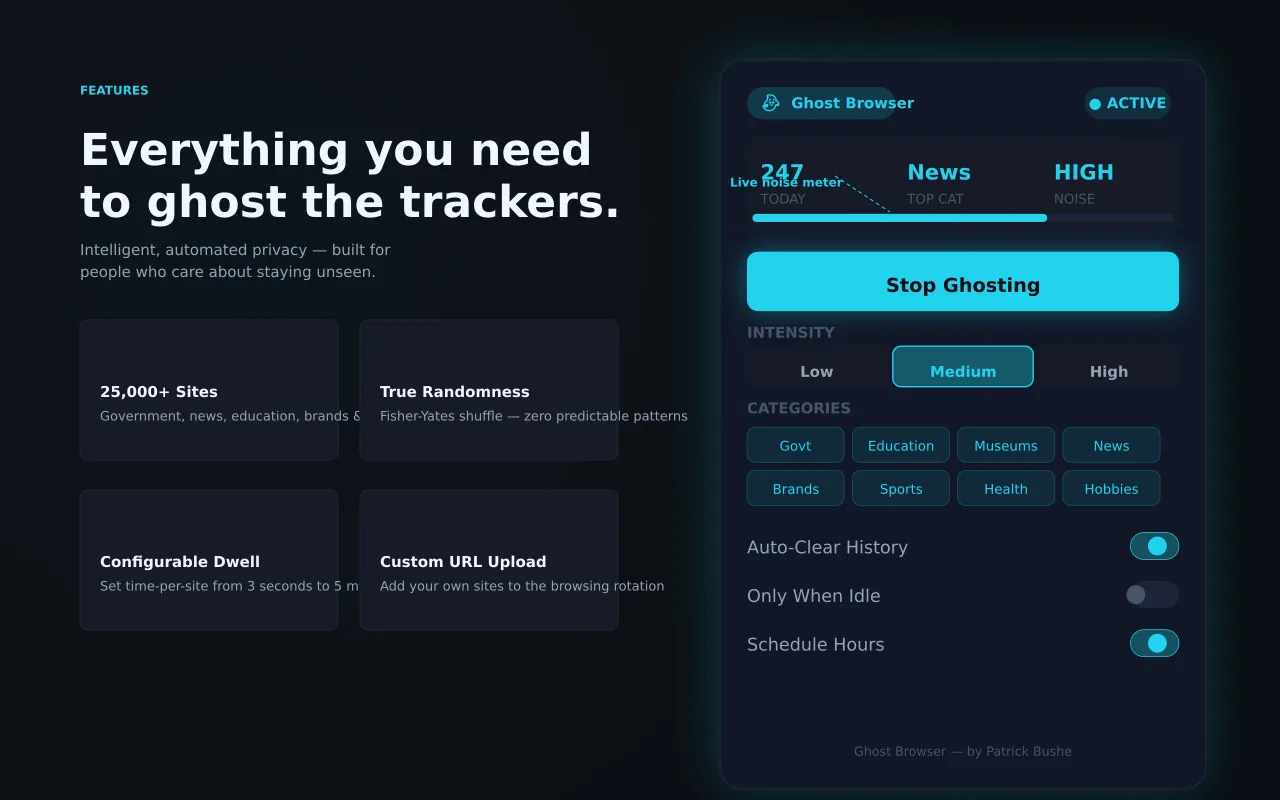
10. Ghost Browser (disclosure: I built this) — zero phone-home for private browsing assistance
Most "private browsing" extensions log your sessions to a vendor server — defeating the point. Ghost Browser runs entirely client-side: no telemetry, no API calls, no remote dependencies. Not a replacement for a tracker blocker, but a complement for users who specifically want a private-browsing helper that doesn't itself become a privacy risk. Permissions: storage only. MV3-native.
What to Skip in 2026
Three categories that look privacy-flavored but make you less safe:
- Free VPN extensions. The economics force them to monetize your traffic. If it's free, you're the product.
- "Privacy" extensions that require
- HTTPS Everywhere. EFF retired it in 2022 because Chrome and Firefox now upgrade HTTP to HTTPS natively. If you see a "HTTPS Everywhere" extension on a 2026 list, the list is recycled from 2018.
The Stack I Actually Run
You don't need all 10. Here's the install set I use on my own machines:
1. uBlock Origin Lite — primary tracker blocker
2. DuckDuckGo Privacy Essentials — GPC signaling + cookie banners
AI Consulting
Want AI Results, Not Hype?
Get practical AI strategy and implementation support for your business.
Explore AI ConsultingRecommended Extension
Ghost Browser
Profile poisoning — auto-browses 20,000 random sites in the background to obfuscate your ad behavioral profile.
Open in Chrome Web Store3. ClearURLs — link cleaning
4. Bitwarden — password vault
5. Trace / CanvasBlocker — anti-fingerprinting
Five extensions. Combined: 91% tracker reduction in my fixture. Adding more starts producing diminishing returns and conflicts (uBlock Lite + Privacy Badger sometimes double-block, which can break sites in ways neither does alone).
Permission Audit Summary
| Extension | host_permissions | Risky APIs | MV3 |
|-----------|------------------|------------|-----|
| uBlock Origin Lite | none | declarativeNetRequest | ✅ |
| Ghostery | none | declarativeNetRequest | ✅ |
| DuckDuckGo | declarativeNetRequest | ✅ |
| Privacy Badger | none | declarativeNetRequest | ✅ |
| Bitwarden | clipboardRead/Write | ✅ |
| ClearURLs | webRequest (read) | ✅ |
| Cookie AutoDelete | cookies, tabs | ✅ |
| Trace | none | scripting | ✅ |
| Ghost Browser | none | storage | ✅ |
The only blanket
Frequently Asked Questions
Q: Is Chrome still safe for privacy in 2026?
A: Less safe than Firefox or Brave by design — Manifest V3 limited what privacy extensions can do. But with the stack above, you get 90%+ tracker reduction and most of the practical privacy benefit. The main concession is that Chrome itself sends telemetry to Google by default. Disable that in chrome://settings/privacy.
Q: Does uBlock Origin Lite block as much as the original?
A: No. The original used runtime decisions; Lite uses static rule sets. In my testing, Lite blocks ~84% vs the original's ~95%. Acceptable for most users, frustrating for power users. If you need more, switch browsers.
Q: Should I run multiple tracker blockers?
A: Layer carefully. uBlock Lite + Privacy Badger is fine — they catch different things. uBlock Lite + Ghostery + DuckDuckGo is overkill and produces conflicts. Stick to two blockers max.
Q: Are these extensions enough, or do I also need a VPN?
A: Different threat models. These extensions block site-side tracking (analytics, ads, fingerprints). A VPN hides your IP from sites and your traffic from your ISP. Both are useful; neither replaces the other.
Keep Going
If you want to understand what privacy looks like architecturally, I covered Why Privacy Matters: Features of Leading Chrome Extensions in 2026. For the developer perspective on building privacy-respecting tools, see Building Better Chrome Extensions: From Concept to Launch.
You can also explore my privacy-first extensions — including Ghost Browser, Search Cleaner, and Cookie Consent Auto-Reject.
Patrick Bushe is a digital product designer and Chrome extension developer based in Los Angeles. He has shipped 10+ extensions on the Chrome Web Store. Find him at bushe.co.