WebRTC Privacy Shield
Free Chrome extension that blocks WebRTC IP leaks. Protect your real IP address even when using a VPN. Simple toggle, zero configuration required.
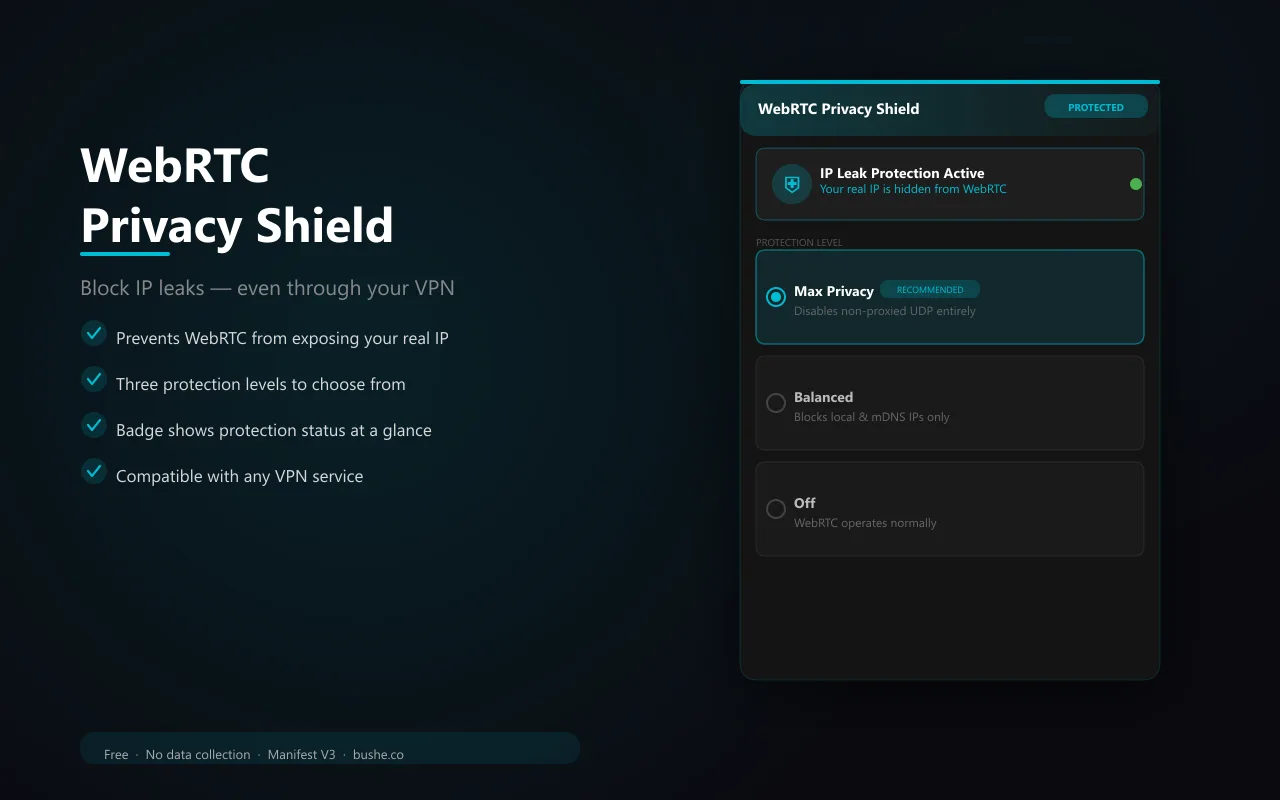
WebRTC is a browser technology that enables real-time communication — but it can leak your real IP address even when you're using a VPN. WebRTC Privacy Shield intercepts this at the API level, letting you choose your protection level. Max Privacy mode completely disables non-proxied UDP so your real IP is never exposed. Balanced mode allows only your default public interface IP — no local or mDNS addresses. Switch it Off temporarily for sites that need WebRTC. The badge turns teal when protected and shows OFF in red when disabled. Your selected level persists across sessions.
Key Features
Everything you need to maximize your productivity and workflow.
Max Privacy
Disables non-proxied UDP entirely — your real IP is never exposed, even through WebRTC.
Balanced Mode
Allows only the default public interface IP — blocks local and mDNS address leaks.
One-Click Toggle
Switch between protection levels instantly from the popup. Badge updates in real time.
VPN-Compatible
Complements any VPN by plugging the WebRTC hole that many VPNs miss.
Status Badge
Teal badge = protected. Red 'OFF' badge = disabled. Always know your protection level.
No Data Collection
Everything runs locally. No servers, no accounts, no tracking.
Visual Showcase
See WebRTC Privacy Shield in action across different contexts.
WebRTC Privacy Shield
Three protection levels. One click. Badge shows status at all times.
What Users Say
Hear from people who have transformed their workflow with WebRTC Privacy Shield.

"Essential extension. My VPN was leaking my real IP through WebRTC and I had no idea until I installed this."

"The three-level system is smart. I use Balanced for everyday browsing and Max when I need full anonymity."

"Lightweight and reliable. The teal badge gives me confidence that my IP is protected on every site."
Frequently Asked Questions
Everything you need to know about WebRTC Privacy Shield.
What is a WebRTC leak?
add
WebRTC is used for video calls and real-time features. It can expose your real IP address to websites even when you're using a VPN, because it bypasses the VPN tunnel.
Will this break video calls?
add
Max Privacy may affect some WebRTC-based video calls. Use Balanced mode for protection that keeps video calls working, or toggle Off temporarily on call sites.
Does it work with my VPN?
add
Yes. WebRTC Privacy Shield complements any VPN by closing the WebRTC leak that most VPNs don't address.
Ready to Get Started?
Join thousands of users who have already transformed their workflow with WebRTC Privacy Shield.
Add to Chrome download