Chrome extension
Sticky Notes Anywhere
Free Chrome extension to pin sticky notes to any webpage. Access a global notepad from the side panel. Notes persist across sessions. No account needed.

Sticky Notes Anywhere is a free Chrome extension that lets users pin sticky notes directly to any webpage, with notes reappearing automatically on return visits. It includes a full-featured side panel notepad with four note types: text notes, interactive checklists, code snippets with syntax highlighting, and inspirational quotes from a curated library of 500+. Features include full-text search across all notes, drag-to-reorder, dark mode, and export/import backups. All data is stored locally in the browser with zero accounts, zero tracking, and zero cloud dependency. Useful for research, web annotations, meeting notes, and task tracking.
Key Features
Everything you need to maximize your productivity and workflow.
On-Site Notes
Pin sticky notes directly to any webpage. They reappear automatically when you return to the page.
Side Panel Notepad
A persistent notepad accessible from any tab via Chrome's Side Panel. Notes, lists, snippets, and quotes in one place.
Checklists & Lists
Create interactive checklists with checkable items. Track tasks, shopping lists, or to-dos right on any page.
Code Snippets
Save code snippets with monospace formatting. Perfect for developers who need quick reference while browsing docs.
500+ Quotes
Built-in inspirational quote library with auto-rotation. Get inspired while you work.
100% Private & Local
All data stays on your device. No accounts, no cloud sync, no tracking. Export/import JSON backups anytime.
How to use Sticky Notes Anywhere
- 1
Add Sticky Notes Anywhere to Chrome from the Chrome Web Store.
- 2
Open the page you want to annotate and add a sticky note from the extension.
- 3
Type your note. It stays pinned to that page and reappears when you come back.
- 4
Open the side panel for a notepad that follows you across tabs, with checklists and code snippets.
- 5
Export your notes to a JSON file from time to time as a backup.
Sticky Notes Anywhere vs the alternatives
Other ways to do the same job, and where each one fits.
Google Keep and note apps
Great for general notes, but they live in a separate app, away from the page the note is about.
Web annotation tools like Hypothesis
Built for highlighting and sharing annotations publicly or with groups. Sticky Notes Anywhere keeps notes private on your device.
Bookmarks
Tell you where a page is, not why you saved it.
Sticky Notes Anywhere guides
How-tos and explainers from the blog.
How to Take Notes Directly on a Webpage Without Switching Apps
Constantly alt-tabbing to a note app while reading online breaks your focus. Here's how to annotate web pages in-place without leaving the browser.
How to Highlight and Annotate PDFs in Chrome Without Adobe
Chrome has a built-in PDF viewer but its annotation tools are limited. Here's how to properly highlight and annotate PDFs directly in the browser.
How to Add Sticky Notes to Any Web Page for Research
Annotate web pages directly with sticky notes that persist between visits. Perfect for students, researchers, and anyone who reads online.
How to Annotate Web Pages While Studying Online
Turn any web page into an annotatable study document. Add highlights, notes, and bookmarks directly on the content you're reading.
Best Way to Annotate Articles While Doing Online Research
Good online research requires marking up what you read. Here are the most effective browser-based annotation approaches for serious research work.
How to Leave Notes on Websites for Yourself to Read Later
Need to remember why you bookmarked something, or leave yourself a note on a page you'll revisit? Here's how to attach persistent notes to any webpage.
Visual Showcase
See Sticky Notes Anywhere in action across different contexts.
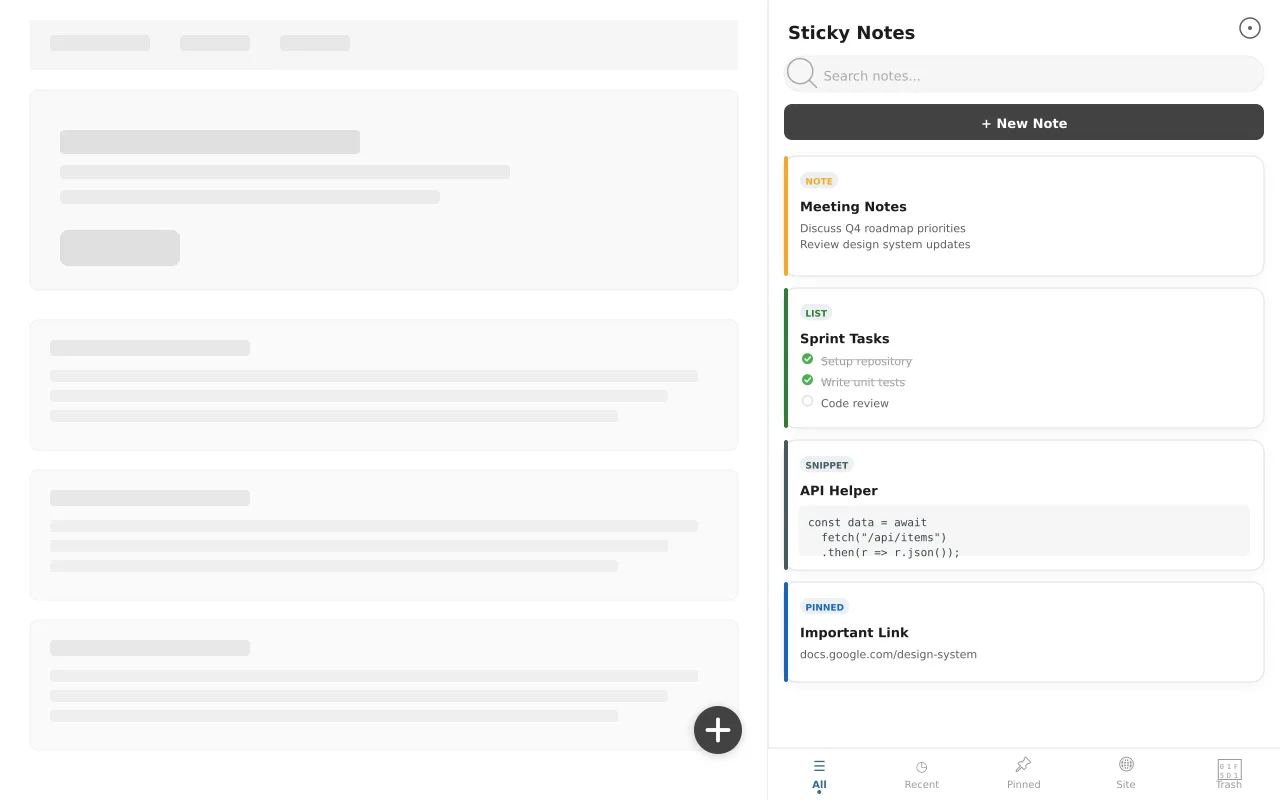
Side Panel Notepad
Notes, checklists, snippets, and quotes in a persistent side panel.
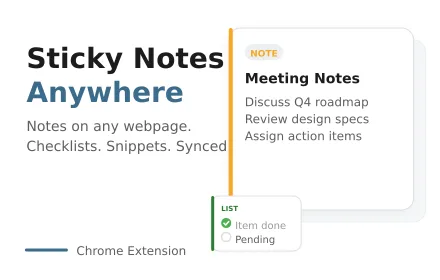
Pin Notes Anywhere
Attach sticky notes directly to any webpage.
Frequently Asked Questions
Everything you need to know about Sticky Notes Anywhere.
Is it free?
Yes — it is completely free, with no paid tiers, subscriptions, or upsells.
Which browsers does it work on?
It is built for Google Chrome and also works on other Chromium-based browsers like Microsoft Edge and Brave.
Do my notes stay after I close the browser?
Yes. Notes stay pinned to the pages you left them on and persist across browser sessions.
Are my notes private?
Yes — all notes are stored locally in your browser. Nothing is uploaded and no account is needed.
Can I take notes directly on a web page?
Yes. Pin a sticky note to any page and it reappears on that page every time you visit, until you delete it.
Do notes sync between computers?
No. Notes stay on your device for privacy. Use export and import to move them to another computer.
Ready to Get Started?
Sticky Notes Anywhere is free, installs in seconds, and has no account to sign up for.
Add to ChromeNeed a custom extension for your business? I build Chrome extensions for clients too.