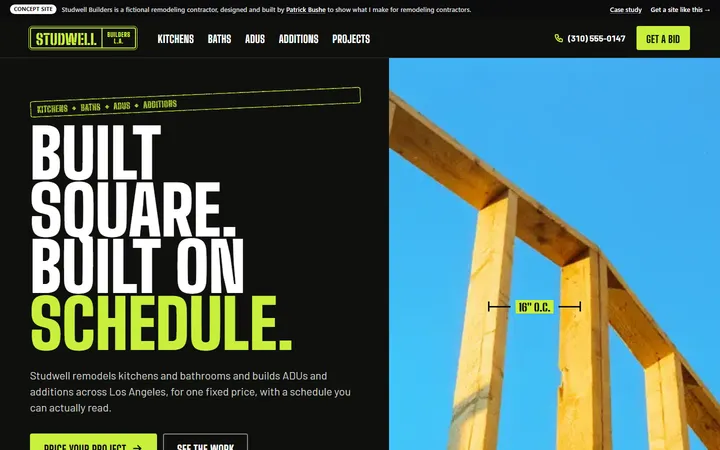
Concept Contractor · Website
Studwell Builders
A remodeler’s site with a live rough estimate and the week-by-week schedule every client gets.
WordPress to Astro Migration
Fast, plain HTML pages, no plugins to patch on the live site, and every URL kept. bushe.co itself moved to Astro in May 2026 and now serves 5,500+ pages, so I know where migrations go wrong.
Prefer email? hello@bushe.co · or get a free audit first
Every page is built ahead of time into plain HTML. No database lookups or plugin scripts run when someone visits.
Pages and posts keep their addresses. Anything that has to change gets a 301 redirect at your host, so old links still land.
No plugins or PHP to update on the live site. If WordPress stays as your editor, it no longer serves pages to visitors.
We pick the editor before the build: a simple CMS with a visual editor, Markdown files, or WordPress itself.
Brands I’ve designed and built for















This site moved from a single-page JavaScript app to Astro on May 13, 2026. It’s the same setup I’d build for you, just bigger.
pages in one Astro build: services, blog, 2,000+ tools, games and concept sites
Google clicks in September 2026, up from 75 in April (Search Console)
blog posts and answers stored in StudioCMS and built into static pages
every page is plain HTML on AWS Amplify behind Cloudflare
Astro didn’t earn those clicks by itself. Most of the growth came from thousands of new pages. What Astro did was make every one of them a fast, plain HTML page that Google can read without running scripts, all built in one step and hosted as files.
Before each deploy, I compare every page’s title, description, headings, links and schema with the live site, so nothing changes by accident. A migration gets the same check: your WordPress pages are saved first, then compared with the new build, page by page.
Not every WordPress site should. Here’s the honest split, and a middle path.
Astro can pull your posts from WordPress’s built-in REST API. Your team keeps writing in WordPress, and visitors get the fast Astro site. You still keep WordPress updated, but it no longer serves your pages.
Differences as Astro’s own WordPress migration guide describes them.
Working sites I designed and built for made-up businesses, so you can try the real thing before you hire me. Each one has a case study. See all 26
Concept Contractor · Website
A remodeler’s site with a live rough estimate and the week-by-week schedule every client gets.
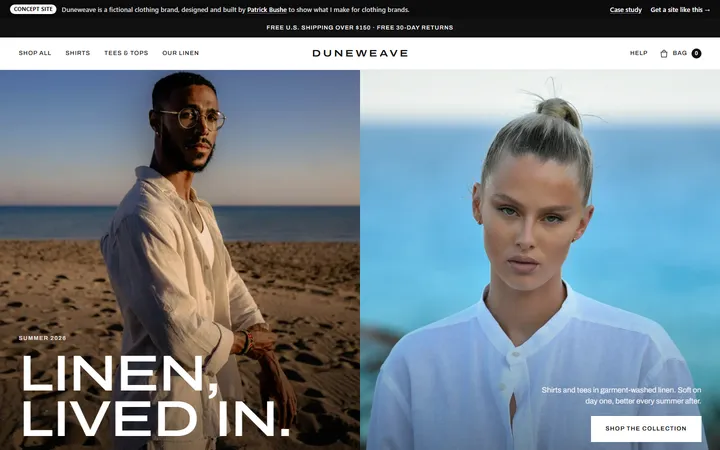
Concept Clothing brand · Online store
A black-and-white linen store with filters, color swap, a size guide and a cart drawer.
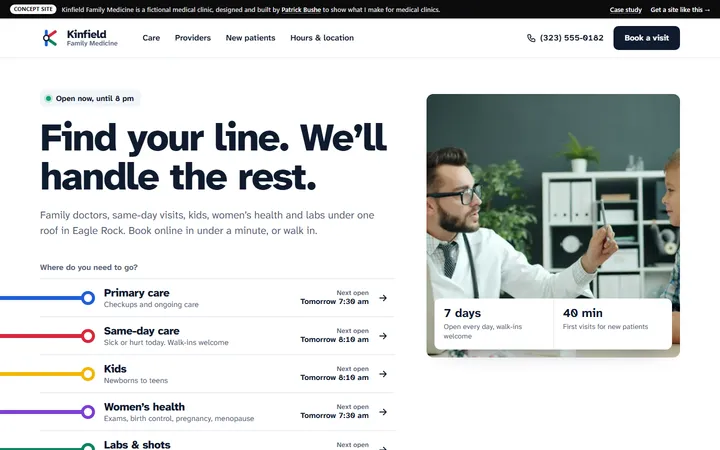
Concept Medical clinic · Website
A family clinic site where five colored lines run in under the header and lead to booking in under a minute.
Posts, pages, images, categories and authors moved out of WordPress, through its export file or its REST API, into the new setup.
Every live URL listed before the move. Unchanged ones stay exactly the same; changed ones get 301 redirects in your host’s rules.
Your current look rebuilt cleanly, or a new design. Either way it’s built as Astro components, not a theme.
Each plugin’s job is listed and handled: built into the site, moved to a service like a form tool, or dropped if nobody uses it.
The editor you’ll use, set up with your content and walked through with you before launch.
Titles, descriptions, headings, links and schema compared between your old site and the new one before the switch.
Optional add-on
A better site brings in more inquiries. An AI add-on makes sure none of them wait. I build it alongside your site, so it launches with everything else.
Answers visitor questions from your site’s content around the clock, and captures the lead when they’re ready to talk.
Answers your phone, books appointments, and takes messages when nobody can pick up.
Replies to every contact form within seconds, asks your qualifying questions, and books a call.
Priced into the same fixed quote as your site: one project, one launch. Curious what it would save? Try the AI ROI calculator.
I list your pages, plugins and what each one does, and tell you plainly if moving is worth it.
One price covering the URL map, what replaces each plugin, the editor and the hosting.
A preview link with your real content that you can click through while I build.
Domain switched, redirects live, sitemap sent to Search Console, then 30 days of support.
Fixed price after a free audit. It depends mostly on how many page layouts and plugins need rebuilding, not on how many posts you have, since posts move in bulk.
Every project includes discovery, design iterations, development, launch, and 30 days of post-launch support. Fixed scope, no surprise billing.
Get a fixed quote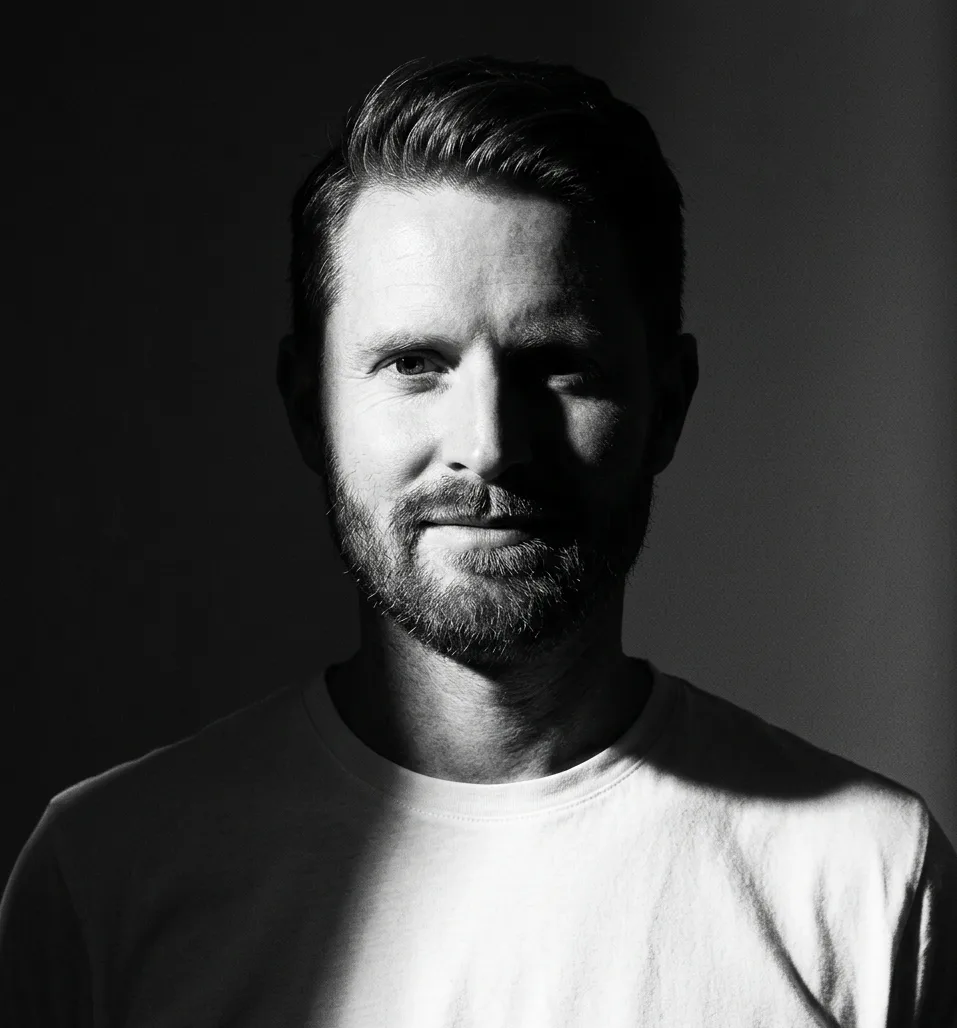
Founder · Lead designer & developer
I design and build websites, ecommerce stores, and digital products from Los Angeles. Every project is founder-led — when you hire bushe.co, you're working with me directly, not a junior team or an offshore handoff.
Past clients include Rob Dyrdek, Peels, Street League Skateboarding, DTA Posse, Pasadena Bar Association, and SpringClick. I use AI tools throughout the process to ship faster — without making the work generic.
Not if the URLs stay the same and the content moves intact. Most ranking losses after a move come from changed addresses, missing redirects or dropped titles and descriptions, which is what the URL map and the page-by-page check are for. Rankings can move a little while Google recrawls the new pages.
Yes. Astro can read your posts through the REST API that comes with WordPress, while your team keeps using the WordPress editor. Visitors only see the Astro site. The trade-off is that you still keep that WordPress install updated.
Yes. On a static site, Astro’s own redirects option makes instant meta refresh pages, which Google treats as permanent redirects. Google still prefers server-side 301 redirects when your host offers them, so I put changed URLs in the host’s redirect rules.
Anywhere that serves static files, such as Cloudflare Pages, Netlify, Vercel, AWS Amplify or many regular web hosts. bushe.co runs on AWS Amplify behind Cloudflare. We pick one in the quote, based on your redirects, forms and budget.
Each one gets a decision in the audit. Jobs like SEO titles, sitemaps, image sizes and caching are built into the Astro site. Forms and booking move to a service. WooCommerce, memberships or courses are usually a reason to stay on WordPress.
Sometimes that’s the cheaper fix: better hosting, fewer plugins, lighter images. The audit says so if it is. Moving makes sense when speed is one of several problems, like constant patches, plugin fees or a theme you keep fighting.
Tell me what you're building. I read every message myself and send a fixed-scope quote within 48 hours. No decks, no sales calls, no pressure.
No commitment. Usually reply within 24 hours.
Get your fixed quote
You get a fixed-scope quote within 48 hours. No sales call needed.