Ghost Browser
Free Chrome extension that auto-browses random sites in the background to poison your ad profile. Obfuscate your browsing data from advertisers.
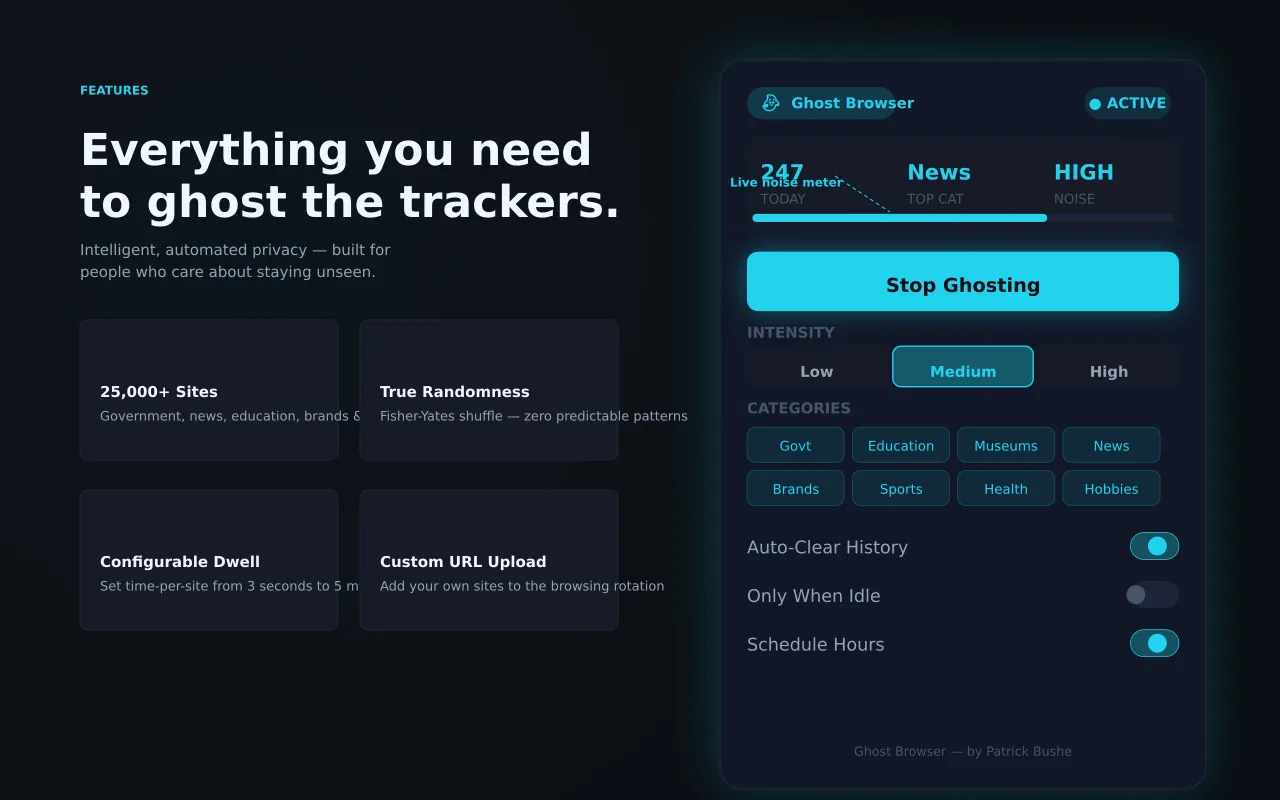
Ad networks build a behavioral profile of you based on every site you visit. Ghost Browser fights back by automatically browsing thousands of random sites in the background, flooding your profile with noise until it becomes useless to advertisers. It cycles through 20,000 URLs across 10 categories — government, education, news, sports, brands, and more — using a Fisher-Yates shuffle so no site repeats until the full pool is covered. Set the intensity from 50 to 300 sites per hour. Configure dwell time, enable auto-clear history, and set a schedule for overnight runs. A floating widget shows live stats without opening the popup. Your real browsing signal disappears into the noise.
Key Features
Everything you need to maximize your productivity and workflow.
19,223 URLs
Fisher-Yates shuffled pool across 10 categories — no repeats until full coverage.
Intensity Control
Low (~50/hr), Medium (~150/hr), or High (~300/hr) browsing intensity.
Schedule Mode
Set start/end times for overnight runs with automatic activation.
Auto-Clear History
Automatically deletes visited URLs from your Chrome history.
Floating Widget
Shadow DOM pill shows live site count, pause/resume controls on every page.
No Data Collection
Everything runs locally. No accounts, no servers, no tracking.
How to use Ghost Browser
- 1
Add Ghost Browser to Chrome from the Chrome Web Store.
- 2
Choose an intensity: low, medium, or high visits per hour.
- 3
Start it, or set a schedule so it runs overnight.
- 4
Leave auto-clear history on so the visits don't fill your Chrome history.
- 5
Use the floating widget to see the count and pause or resume.
Ghost Browser vs the alternatives
Other ways to do the same job, and where each one fits.
Tracker blockers
Stop trackers from collecting data. Ghost Browser adds noise to what does get collected. They work well together.
AdNauseam
Blocks ads and quietly clicks them to confuse ad networks.
TrackMeNot
Sends random search queries to muddy your search profile.
Ghost Browser guides
How-tos and explainers from the blog.
What Data Does Chrome Send to Google and How to Stop It
Put simply, data does chrome send to google is one of those things that happens in the background every time you open a browser tab. Most people never think about it, but understanding it gives you a real advantage when it comes to browser privacy...
How to Check if Websites Are Tracking Your Browser Fingerprint
You can test your browser's uniqueness right now. Here's how to measure your fingerprint exposure and what to do about it.
What Happens When You Search in Incognito vs Normal Mode
Happens When You Search in Incognito vs Normal Mode refers to incognito search results different — a concept that has become critically important for anyone browsing the web in 2026. Despite affecting billions of internet sessions daily, most user...
First-Party vs Third-Party Cookies in 2026: What Actually Changed
The internet is full of superficial comparisons that just list features in a table. This guide takes a different approach to first party vs third party cookies 2026: we tested both options extensively and will tell you exactly when each one is the...
What Is CNAME Cloaking and How It Bypasses Ad Blockers
CNAME Cloaking refers to cname cloaking tracking — a concept that has become critically important for anyone browsing the web in 2026. Despite affecting billions of internet sessions daily, most users have never encountered a clear explanation of ...
How Ad Networks Build a Profile of You Without Your Knowledge
Most people overcomplicate this. How Ad Networks Track You is actually one of the simplest improvements you can make to your browsing experience, and it is completely free.
Visual Showcase
See Ghost Browser in action across different contexts.
Ghost Browser
Auto-browse thousands of random sites to poison your ad behavioral profile.
Frequently Asked Questions
Everything you need to know about Ghost Browser.
How does profile poisoning work?
Ad networks track sites you visit to build a behavioral profile. Ghost Browser floods that profile with thousands of random site visits, making the signal meaningless.
Does it slow down my browsing?
No. It opens sites in the background using a single tab. You can also set it to only-when-idle mode so it pauses when you are actively using Chrome.
Does it collect my data?
No. The extension runs entirely locally. No data leaves your browser.
What is ad profile poisoning?
Visiting a wide mix of random sites so ad networks can't build an accurate picture of your interests.
Will it use my bandwidth?
Some. It loads real web pages in the background, so choose a lower intensity on metered connections.
Ready to Get Started?
Ghost Browser is free, installs in seconds, and has no account to sign up for.
Get Extension Now!Need a custom extension for your business? I build Chrome extensions for clients too.