Reading Progress Bar
Free Chrome extension that adds a reading progress bar to any webpage. Customizable color, position, and size. See how far through an article you are instantly.
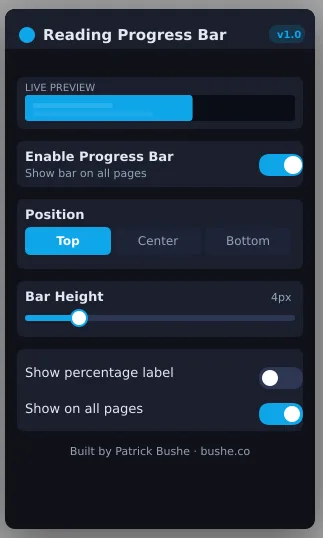
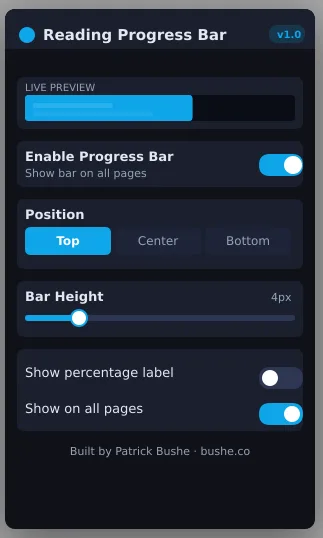
Reading Progress Bar adds a slim, elegant progress indicator to any webpage so you always know exactly how far you have scrolled. Choose from three positions — top, center, or bottom — and dial in the perfect height from a hairline 2px to a bold 20px. The popup shows a live preview of the bar as you adjust settings, so what you see is exactly what you get. Works seamlessly on standard pages and single-page apps alike. No accounts. No servers. No tracking. Just a clean, fast indicator that stays out of your way.
Key Features
Everything you need to maximize your productivity and workflow.
Three Positions
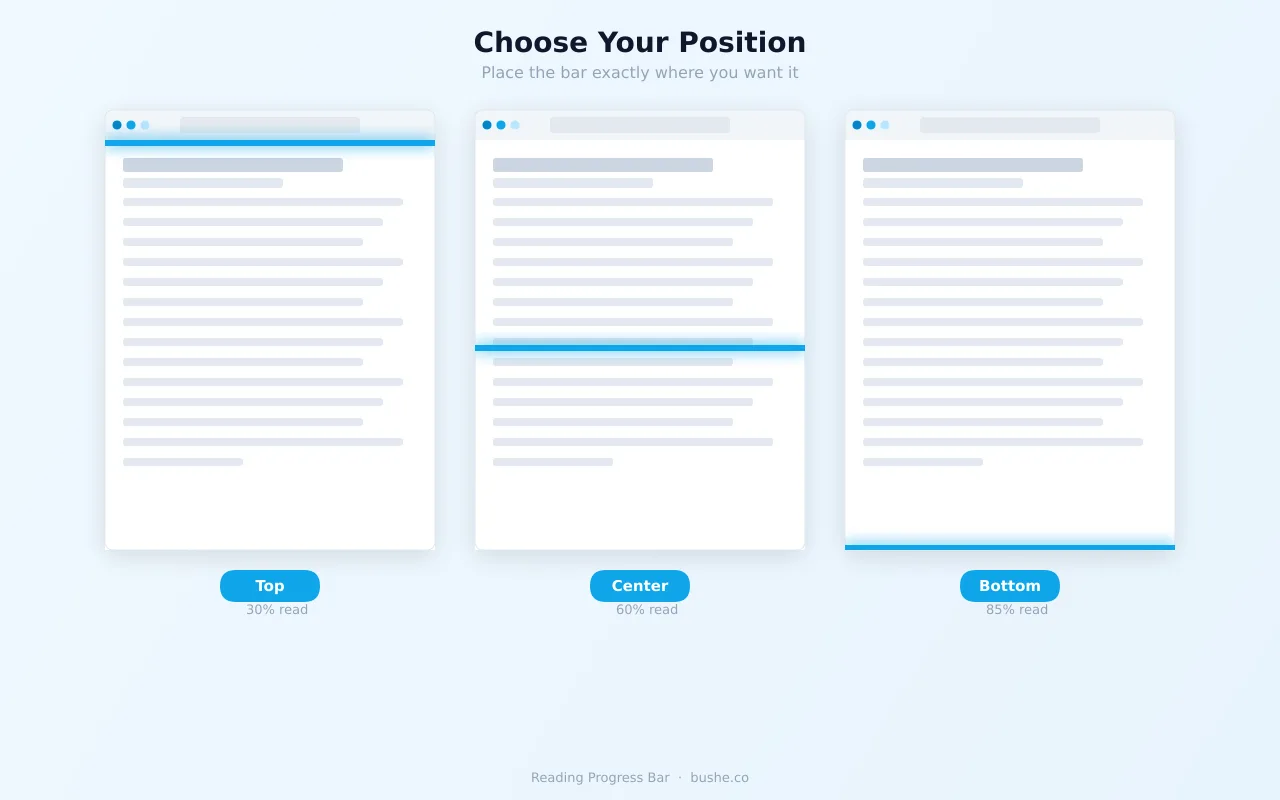
Pin the bar to the top, center, or bottom of the page. Each position is a single click away.
Adjustable Height
Slide from a subtle 2px hairline to a bold 20px bar. Make it as visible or invisible as you like.
Live Preview
The popup shows a real-time preview that mirrors your exact scroll position as you browse.
Percentage Label
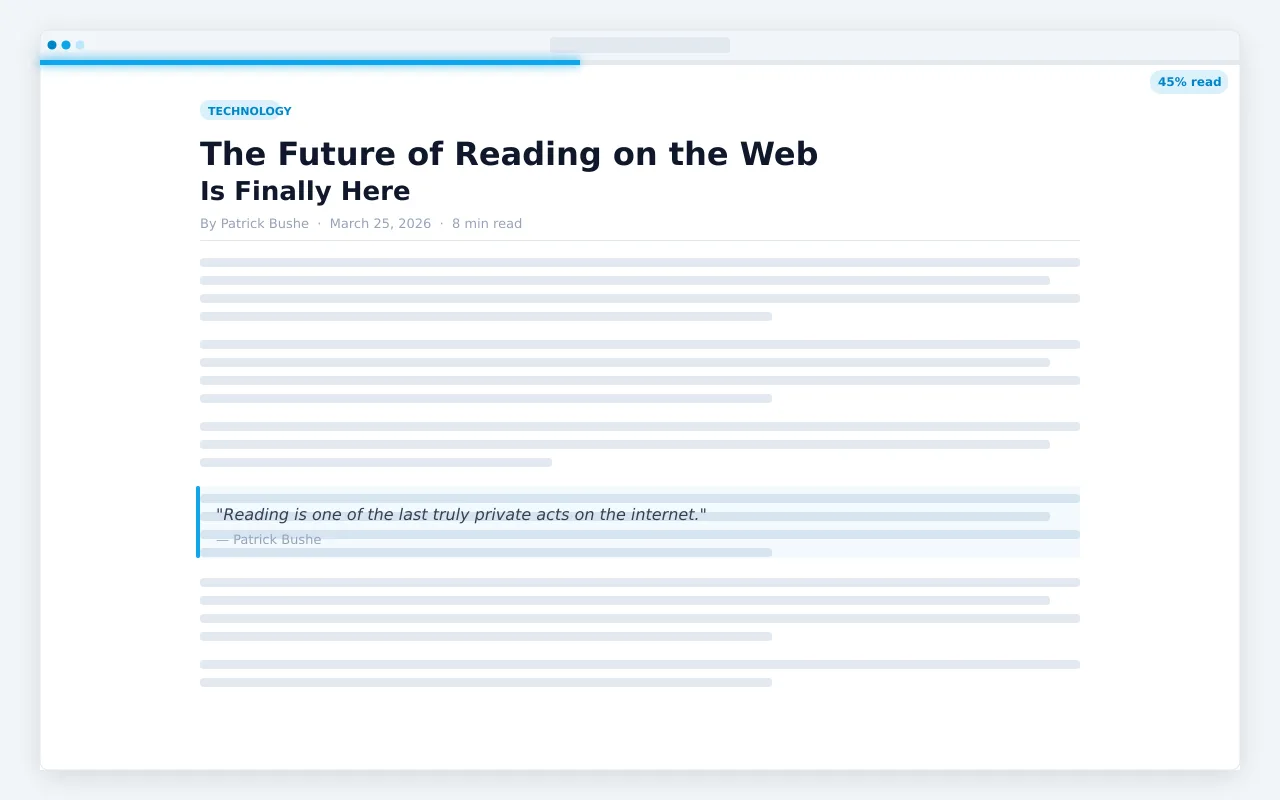
Optionally show a percentage badge at the trailing edge of the bar so you always know the exact number.
Works Everywhere
Standard pages, news sites, GitHub, Wikipedia, React and Vue SPAs — any scrollable page is supported.
100% Private
Zero tracking, zero accounts, zero servers. Your six settings are stored locally on your device and nowhere else.
How to use Reading Progress Bar
- 1
Add Reading Progress Bar to Chrome from the Chrome Web Store.
- 2
Open any article: a thin bar shows how far through the page you are.
- 3
Click the extension icon to move the bar to the top, center, or bottom.
- 4
Adjust its height from a 2px hairline to a bold 20px bar, and pick a color.
- 5
Turn on the percentage label if you want an exact number.
Reading Progress Bar vs the alternatives
Other ways to do the same job, and where each one fits.
The browser's scrollbar
Shows your position too, but it's thin, often hidden, and counts comments and footers as part of the page.
Reader mode
Strips the page down for reading, but doesn't show how much is left.
ADHD Reading Focus
Shows one paragraph at a time. The two work well together for long reads.
Reading Progress Bar guides
How-tos and explainers from the blog.
How to See How Far You've Scrolled on a Web Page
Long articles give no indication of how far you've read. Here's how to add a visual progress bar to any web page.
How to Keep Your Place When Reading Long Articles Online
Accidentally close a tab or refresh a page and lose your reading position? Here's how to always know where you left off.
How to See How Much of an Article You Have Left to Read
Reading a long article without knowing how far you are is disorienting. Here's how to add a reading progress indicator to any page you browse.
Best Chrome Extensions for Tracking Reading Progress on Long Pages
Several Chrome extensions add reading progress tracking to web pages. Here's a comparison of the main options so you can pick the right one for your reading habits.
How to Add a Progress Bar to Any Website You Visit
A reading progress bar makes long web pages much more navigable. Here's how to add one universally to your browser in under two minutes.
Why You Lose Your Place Reading Long Articles and How to Fix It
Losing your reading position in a long article after getting distracted is frustrating. Here's why it happens and the practical ways to stay oriented.
Visual Showcase
See Reading Progress Bar in action across different contexts.
Frequently Asked Questions
Everything you need to know about Reading Progress Bar.
Is it free?
Yes — it is completely free, with no paid tiers, subscriptions, or upsells.
Which browsers does it work on?
It is built for Google Chrome and also works on other Chromium-based browsers like Microsoft Edge and Brave.
Can I customize the bar?
Yes — adjust its color, position (top or bottom), and height, and toggle a live percentage label.
Is it private?
Yes. It runs locally in your browser and collects no data.
How can I see how much of an article I have left to read?
Reading Progress Bar adds a bar, and optionally a percentage, showing exactly how far through the page you are.
Does it work on single-page apps like GitHub?
Yes. It works on any scrollable page, including React and Vue apps, GitHub, and Wikipedia.
Ready to Get Started?
Reading Progress Bar is free, installs in seconds, and has no account to sign up for.
Get Extension Now!Need a custom extension for your business? I build Chrome extensions for clients too.