Color Palette Extractor
Free Chrome extension to extract color palettes from any website. Copy HEX, RGB, or HSL values instantly. Perfect for designers and developers.
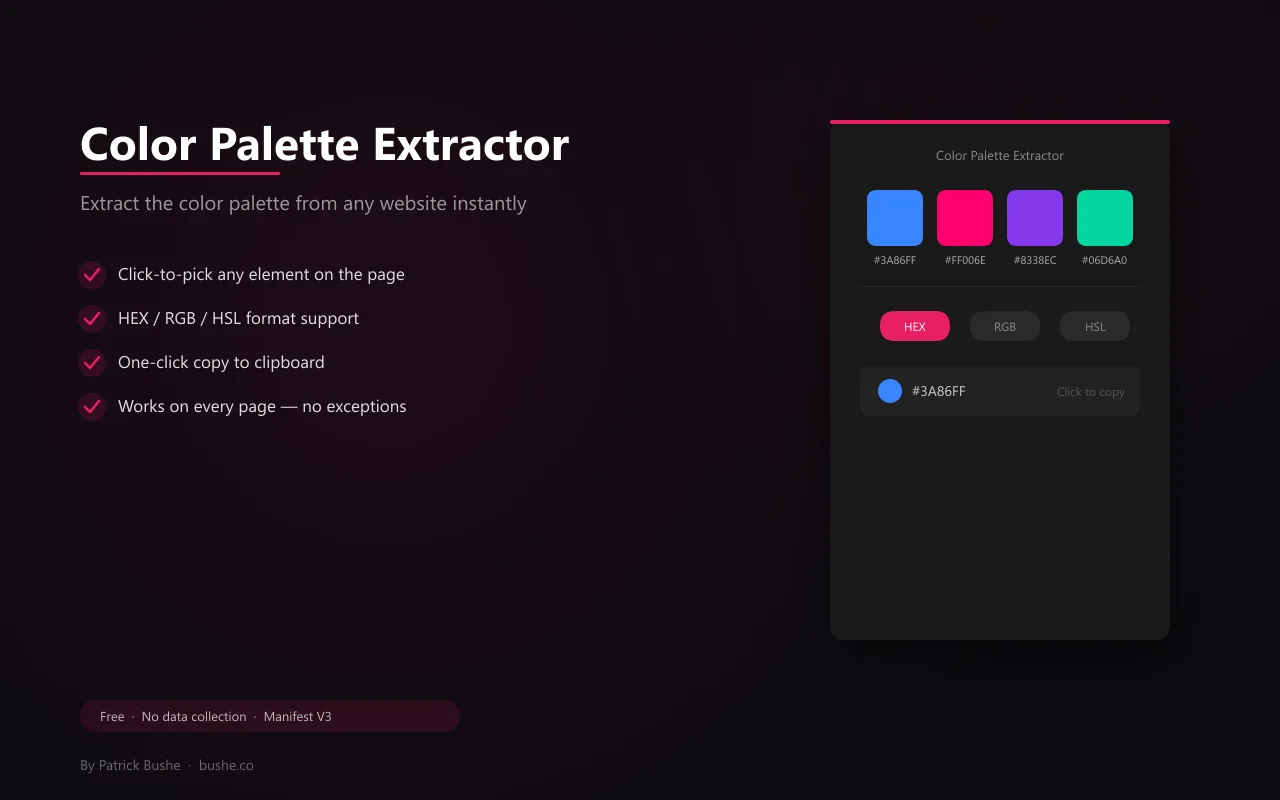
Color Palette Extractor pulls the top 20 colors from any website by scanning computed styles across the page. Open the popup and the palette is ready. Need a specific element's color? Switch to click-to-pick mode — hover over any element to see its background and text color highlighted in real time. Click to capture it. Your last picked color is saved and shown the next time you open the popup. Toggle between HEX, RGB, and HSL formats. Click any swatch to copy its value to your clipboard instantly. Use the Copy All button to grab the entire palette at once. One popup, no clutter. No data collection, no external requests.
Key Features
Everything you need to maximize your productivity and workflow.
Click-to-Pick
Hover over any element and click to capture its exact background and text color.
Auto-Extract
Automatically scans and extracts the top 20 colors used on any webpage.
HEX / RGB / HSL
Toggle between color formats with one click. Copy any value instantly.
One-Click Copy
Click any swatch to copy its value. Copy All grabs the entire palette.
Last Picked
Your most recently picked color is saved and shown when you reopen the popup.
No Data Collection
Runs entirely in your browser. No external requests, no tracking.
How to use Color Palette Extractor
- 1
Add Color Palette Extractor to Chrome from the Chrome Web Store.
- 2
Open the website and click the extension to extract its top 20 colors.
- 3
Switch between HEX, RGB, and HSL.
- 4
Click any swatch to copy it, or Copy All for the whole palette.
- 5
Use click-to-pick to grab the exact background and text color of any element.
Color Palette Extractor vs the alternatives
Other ways to do the same job, and where each one fits.
Chrome DevTools CSS Overview
Lists every color used in the page's CSS, but takes more steps and is built for developers.
Eyedropper extensions like ColorZilla
Great for picking single colors. Color Palette Extractor also pulls the whole palette at once.
Image palette tools
Pull colors from a screenshot, which includes image colors that aren't part of the site's design.
Color Palette Extractor guides
How-tos and explainers from the blog.
How to Find the Hex Code of Any Color on a Web Page Instantly
Stop hunting through DevTools for color values. Here's how to grab the exact hex code of any element on any page in under five seconds.
How to Extract a Color Palette from Any Website in Seconds
See a website with colors you love? Extract the complete color palette with hex codes in one click.
How to Copy Exact Colors from a Website for Your Design
Need the exact hex codes from a website's color scheme? Here's the fastest way to capture them all.
How to Copy the Exact Color Palette From Any Website Design
Manually inspecting colors in DevTools works but it's slow. Here's a faster workflow for extracting a complete color palette from any site.
Extract All CSS Colors From a Website in One Click
One click to pull every color from a site's CSS — hex codes, RGB values, custom properties, and usage counts all in one place.
Build a Color Palette From a Website You Love in Seconds
Turning a website you admire into a usable color palette used to be tedious. Now it takes seconds — here's the workflow.
Visual Showcase
See Color Palette Extractor in action across different contexts.
Color Extraction
Extract the full color palette from any website with click-to-pick and auto-extract.
Frequently Asked Questions
Everything you need to know about Color Palette Extractor.
How does click-to-pick work?
Click the pick button in the popup. The popup closes and your cursor becomes a color picker. Hover over elements to see their colors, click to capture.
What color formats are supported?
HEX, RGB, and HSL. Toggle between them in the popup. Click any swatch to copy.
Does it work on all websites?
Yes. It reads computed CSS styles so it works on any webpage regardless of how styles are applied.
How do I find the hex code of a color on a website?
Use click-to-pick on the element, or extract the page palette, and copy the HEX value.
Can I get a site's whole color palette?
Yes. Auto-extract pulls the top 20 colors used on the page, and Copy All copies them at once.
Ready to Get Started?
Color Palette Extractor is free, installs in seconds, and has no account to sign up for.
Get Extension Now!Need a custom extension for your business? I build Chrome extensions for clients too.